 Just picked up one of these Belkin WeMo switches to try out. I wasn’t worried about the motion-sensing switch version, just the plain single outlet. On opening I expected to find more complicated setup instructions, and thought I would have to set up port forwarding on my router so I could control it over 3G from the phone. Considering the average home user wouldn’t know how to do this, I wondered how they would make this easy to do. However, it doesn’t work this way.
Anyway, it was incredibly easy to set up:
- Plug it in. I plugged in a reading lamp as a test. The LED alternately blinked blue and orange. I tried the manual switch and the lamp turned on and off.
- Download the WeMo app from the app store. Launch the app, then it asks you to go into Settings to join the phone to the WeMo’s local WiFi network.
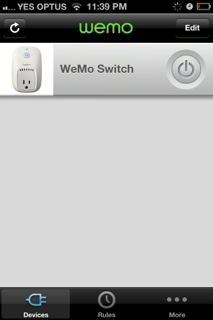
- The app begins setup and once finished, the single remote switch appears in a list view.
- That’s it! At this point you just hit the button in the list item and the light turns on and off.
- The app notified that a firmware update was needed, which installed with no problems.
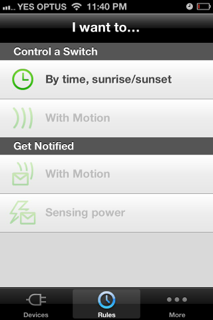 So, first experiences are favourable. I’m still curious as to how remote control works from outside the WiFi network. I am assuming that the device must be sending requests out to a server somewhere and polling for state changes.
At the moment I’m probably just going to use it to switch the Christmas lights (when they actually get set up). This saves me going outside or down to the garage to switch the powerpoints off. We do have some old-style mechanical timers around but this is far more fun.
Belkin also publish an SDK for WeMo, which is a nice change considering that most manufacturers have no interest in making their devices open or interoperable. Building the demo app for my iPhone immediately finds the configured WeMo outlet and I can switch it from the iOS simulator. I do wonder what security implications this may have, but assume that only devices recognised by my local network can control the WeMo switch. Some testing may be required.